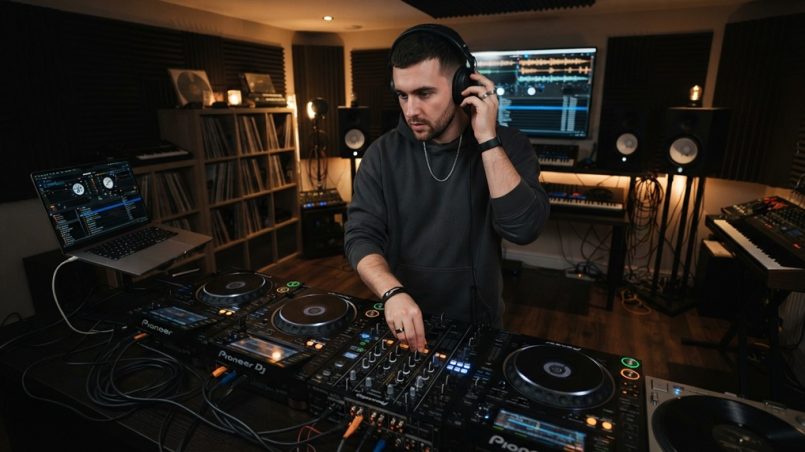
You’ve just landed your first residency at a Capitol Hill club, or maybe you’re spinning at a warehouse party in Georgetown. Your current headphones are falling apart, and the bass sounds muddy. The problem? You need professional-grade gear, but your bank account says otherwise. You’re not alone. Every working DJ in Seattle or Spokane has faced this exact dilemma. The good news is that finding durable, high-fidelity sound without breaking the bank is entirely possible if you know what to look for. This guide will show you how to secure the best budget DJ headphones Washington has to offer, using insider tips that save you money without sacrificing performance on the gig.
What Defines a “Quality” Budget DJ Headphone in 2026?
Quality isn’t about the price tag; it’s about the engineering. A budget DJ headphone must deliver accurate sound reproduction, robust build quality, and swivel ear cups for single-ear monitoring. In 2026, that means looking for models with 50mm drivers and a frequency response that doesn’t artificially boost the bass, which can cause ear fatigue during a four-hour set.
The Non-Negotiable Specifications for DJs
First, prioritize impedance (between 32 ohms and 80 ohms) for compatibility with mixers and controllers. Second, ensure the maximum SPL is above 110 dB to hear yourself over loud club monitors. Third, look for detachable cables a coiled one and a straight one because cable failure is the #1 reason DJs buy new headphones.
Why Build Quality Trumps Fancy Features
Plastic hinges break. Cheap pleather peels. In the Pacific Northwest, humidity and temperature swings from your car to the venue will kill low-grade materials. Look for metal yokes and replaceable earpads. A $100 headphone with a metal headband will outlast a $250 plastic model every single time.
Sound Signature: Flat vs. Fun
For beatmatching, you need a flat response to hear the transient attack of the kick drum. For mixing bass-heavy house music, you need a slight bass boost. The trick is finding a budget pair that offers a mid-bass bump without muddying the midrange vocals. Read reviews specifically from DJs, not audiophiles, because their reference points differ.
Why Should You Avoid “Studio Monitor” Headphones for DJing?
Studio monitors are designed for accuracy at a fixed listening position; DJ headphones are designed for high SPL, isolation, and durability. Using studio cans for DJing often results in lower volume limits and a fragile build that can’t handle twisting. They also typically lack the rotating ear cup necessary for one-ear cueing.
The Isolation Factor: Closed-Back Is Mandatory
Open-back headphones leak sound like a sieve. On a loud stage, you won’t hear the mix properly, and the microphone will pick up your headphone audio. For DJing in Washington’s bustling venues, you need closed-back designs with passive isolation of at least 20dB. Don’t be tempted by “airy” sound quality; it’s the wrong tool.
Understanding Impedance and Sensitivity for Mixers
Most club mixers (Pioneer DJ, Allen & Heath) have a headphone amp that can drive up to 300 ohms, but lower impedance (32 ohms) delivers louder volume with less amplification. However, if impedance is too low (16 ohms), you may hear a hiss. Stick to 32–64 ohms for a clean, loud signal on any standard club mixer.
The Trap of “Studio Quality” Marketing
Brands know “studio” sounds premium. But real DJs need a specific frequency response curve usually a slight “V” shape to make beatmatching audibly clearer. A true studio headphone (like the Audio-Technica M50x) is excellent, but it’s not ideal for prolonged DJ use due to its clamping force and lack of swivel flexibility at the budget tier.
How Much Should You Actually Spend on DJ Headphones in Washington?
You can get a fully functional, gig-ready pair for $80 to $150. Spending over $200 at the budget level is counterproductive because you’re paying for marginal gains in materials that only matter for touring pros. The sweet spot for 2026 is $99–$149, where brands like Pioneer DJ, Audio-Technica, and OneOdio deliver exceptional value.
Breaking Down the Price Tiers
Below $50, you will find “DJ-style” consumer headphones that lack the power to drive low frequencies at high volume. Between $50 and $100 are the entry-level workhorses (e.g., Gemini, Numark). The $100–$150 range includes the legendary Sony MDR-V700 and the OneOdio A71, which offer professional components.
Hidden Costs: Replacing Pads and Cables
When you budget, add $20–$30 for spare earpads and cables. The cheapest route is to buy headphones with standard 3.5mm jacks, not proprietary connectors. If you buy a pair with a built-in mic or Bluetooth, you’re paying for chips you don’t need and that often add latency avoid that.
Where to Find Deals Locally vs. Online
Online giants like Amazon and Sweetwater have great prices, but check local Washington retailers like Guitar Center (Seattle) or DJ Supply shops for open-box returns. Also, consider the used market Craigslist in Seattle has high turnover, but ensure you test the swivel action and volume potentiometer before buying.
For a curated list of reliable models that fit these criteria, check out this detailed guide on budget DJ headphones Washington residents trust for club and mobile gigs. It highlights specific models that have performed well in local humidity conditions and high-volume settings.
Which Headphone Brands Offer the Best Warranty and Support?
Brand reputation matters because warranty claims save you money in the long run. In 2026, the standouts for budget DJ gear are OneOdio (90-day warranty, but replacement parts are cheap), Audio-Technica (1-year warranty), and Pioneer DJ (1-year warranty). Avoid off-brand no-name products with no support infrastructure.
Why Pioneer DJ Is Worth the Premium
Pioneer’s HDJ-CUE1 is around $99 and is built to their spec, with a sound profile tuned for their club mixers. The build includes a reinforced headband and a single-sided cable, which is more durable than double-sided. The warranty process is straightforward via their US distributor in Southern California.
Audio-Technica: The Longevity Champion
The ATH-M20x or the older ATH-M40x (if you can find them on sale) offer a frequency response that is surprisingly flat for the price. Their construction is sturdy, and replacement parts are widely available. The downside is the round ear cups may not swivel 90 degrees on all models, so check the hinge type.
OneOdio: The Budget Disruptor
OneOdio’s A71 and A70 are famous for their dual 50mm drivers and high sensitivity (110dB). They come with an extra-long coiled cable and are comfortable for long sessions. Their main weakness is the clamping force, which might hurt after 2 hours, but a simple stretch over a stack of books fixes that.
How to Test DJ Headphones Before You Buy
You don’t need an acoustically treated studio to verify audio quality just a smartphone loaded with uncompressed FLAC or WAV files rather than standard lossy streams. When evaluating a new or used pair in-store, playback a familiar, high-bitrate track and focus closely on three structural benchmarks: the immediate transient attack of the kick drum, the crisp top-end articulation of the hi-hats, and the depth of the low-end frequency extension without acoustic distortion at elevated volumes. If you are also scouting versatile everyday audio options on a budget, explore our guide on save money on JLab headphones in NYC to maximize your investment across every pair you buy.
The “Kick and Hat” Test
Play a track like “No One Knows” by Queens of the Stone Age or any tech-house track. If you can distinctly hear the kick drum’s “thump” separate from the bassline’s “sub,” and the hi-hats have a crisp “tch” without cutting your ears, the headphones pass. If the bass bleeds into the hi-hats, the driver is poorly damped.
The “Cable Strain” Test
Grab the cable at the junction where it enters the ear cup and twist it 90 degrees. Listen for crackling. If you hear static, the wiring is loose this is the most common issue with budget cans. Also, check the 3.5mm plug housing: it should be metal or have thick rubber strain relief.
The “One-Ear” Comfort Check
Rotate the ear cup so it’s behind your ear. The pad should not crush your earlobe against your skull. Also, check the headband’s slack. For scratching or beatmatching, you need the headphones to stay put when you nod your head up and down, so you need a snug fit.
Can You Buy Used DJ Headphones Safely in Washington?
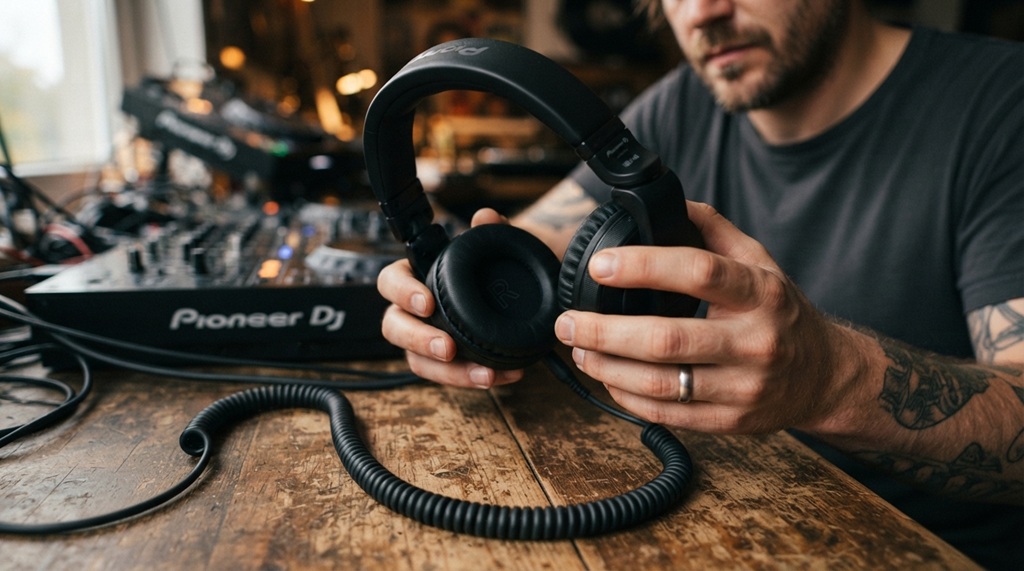
Yes, but with caution. You can save 50% off retail, but you must check for ear pad sweat damage and driver distortion. The main risk is buying a pair that has been dropped on a hard floor, which can misalign the magnets inside the driver. A simple low-frequency sine wave test can reveal this.
Where to Buy Used: Reverb, Craigslist, and Pawn Shops
Reverb is great because sellers are audio-focused, but they know the value, so deals are rare. Craigslist in Seattle or Bellevue is better for moving sets being cleaned out. Pawn shops in Tacoma sometimes have high-end models for low prices, but there’s no history of the item’s condition.
The Red Flags to Walk Away From
If the headband is bent out of shape, the drivers are blown. If the ear cups are cracked where they attach to the hinge, the plastic is dry and brittle. If the seller says “it worked before I shipped it” but has no original packaging, walk away.
How to Sanitize and Restore Used Headphones
Use a 70% isopropyl alcohol wipe on the earpads (but not on the driver mesh). Replace the earpads if they are crusty generic replacements cost $10 on Amazon for most models. Tighten any loose screws with a small eyeglass screwdriver. This gives you a clean, functional pair.
Is There a Difference Between Mobile DJ and Club DJ Headphones?
Yes, the primary difference is in durability and sound isolation. Mobile DJs (weddings, corporate) need headphones that are comfortable for hours and not too flashy. Club DJs need maximum loudness and rugged build for nightly use. For budget buying, prioritize the club-style build because it’s significantly more durable.
Mobile DJ Requirements: Low Profile and Comfort
For mobile gigs in Washington (from Olympia to Bellingham), you might wear the headphones around your neck for 30 minutes while talking to a client. So you need a low-profile design that doesn’t cause neck pain. Also, a detachable cable is a must so you can swap between a long cable (for the booth) and a short one (for running to the dance floor).
Club DJ Requirements: High SPL and Swivel
Club environments are louder, so you need a headphone that can go to 110dB without distortion. A swivel ear cup is non-negotiable for the classic “one ear off” position that lets you hear the booth monitor and the master mix simultaneously. This saves your hearing you don’t need both ears at max volume.
A Hybrid Option: The Best of Both Worlds
Some models, like the Pioneer HDJ-CUE1, are marketed as entry models but actually fit both needs due to their size. Alternatively, consider in-ear monitors (IEMs) for mobile gigs, but keep your over-ear headphones for club work. This dual setup is more budget-friendly than you think an IEM like the KZ ZSN Pro costs $25.
How to Maintain Your Budget DJ Headphones to Extend Their Life
Even the best budget headphones will die early if you neglect them. The #1 killer is sweat, which corrodes the copper wire inside the cable. The #2 killer is wrapping the cable too tightly, which breaks the internal soldering points. Spend 2 minutes after each gig on basic care.
Cleaning and Storage Best Practices
Wipe down the earpads and headband with a microfiber cloth after every gig. Store them in a padded zip-up bag (a hard clamshell case is even better, but a cloth bag works). Do not leave them in a hot car in Eastern Washington (120+ F heat) as it deforms the plastic cups.
The “Over-Under” Cable Wrapping Technique
Instead of wrapping the cable around your hand into a tight coil (which twists the wire), use the “over-under” method. Loop the cable over your thumb, then under your index finger. This prevents the cable from developing kinks and strain points. This simple habit expands the life of your cable by 10x.
When to Replace Earpads and Headbands
If you see white flakes on your shoulders, the pleather is degrading. Replace earpads immediately they are your main sound seal. If the headband padding is flat, wrap it with a skateboard grip tape or a specialized headband sleeve. Replacing a $15 headband pad is cheaper than buying new phones.
What Are the Best Budget Models Available in Washington for 2026?
Considering the 2026 market, three models stand out for their balance of price and performance. The OneOdio A71 (~$75), the Pioneer DJ HDJ-CUE1 (~$99), and the Audio-Technica ATH-M20x (~$69). All are widely available in the US and offer distinct strengths for different DJ styles.
OneOdio A71: The Bass-Heavy Workhorse
This headphone has two inputs so you can share a mix with a friend (a neat trick for b2b sets). It has a 10Hz-40kHz frequency response, which is overkill but means the bass is thunderous. It’s heavy, but that weight helps with stability. It is ideal for mobile DJs playing top-40 and hip-hop.
Pioneer DJ HDJ-CUE1: The Club-Ready Entry
Pioneer tuned these to work seamlessly with their own mixers, so you get a balanced sound. They have a reinforced slider and a swivel that clicks into place. They are more expensive than the OneOdio but have a more neutral sound for mixing techno and house where mids matter.
Audio-Technica ATH-M20x: The Neutral Monitor
This is actually a studio headphone, but its low impedance and simple build make it a decent budget DJ option. It has a very flat response, which means you hear mistakes in your mix clearly. The downside is the ear cups don’t swivel laterally, which can be a dealbreaker for some DJs.
Frequently Asked Questions
What is the best impedance for DJ headphones?
Most DJ mixers and controllers work best with headphones between 32 ohms and 64 ohms. This range provides enough volume without drawing excessive power from the mixer’s headphone amp, ensuring you get a clean, loud signal.
Can I use normal consumer headphones for DJing?
You can use them for practice, but they lack the build durability and sound isolation needed for live events. Consumer headphones are more likely to break during twisting and often have aggressive noise-canceling features that distort beatmatching.
Are expensive DJ headphones worth the money?
For a professional touring DJ, yes. For a bedroom DJ or weekend warrior, no. The main benefits of expensive models (like the HD-25) are better spare part availability and a proven resale value, but the performance difference is marginal at loud volumes.
How long do budget DJ headphones typically last?
If you take care of them, a quality budget pair should last 2 to 3 years of weekly gigs. The most common failures are broken cables and worn-out earpads, which are cost-effective to repair. The drivers themselves can last over 10 years if protected from moisture.
Should I buy wireless DJ headphones?
No. Wireless headphones (Bluetooth) introduce latency, which is catastrophic for beatmatching where timing is critical. They also require battery charging. In a live environment, a wired connection is 100% reliable; wireless is not worth the risk.
What frequency range should DJ headphones cover?
Look for at least 20Hz to 20kHz, which covers the audible human range. Wider ranges (10Hz to 40kHz) are marketing gimmicks but can indicate a better quality driver. The most important part is that the bass response is actually audible and not rolled off.
Can I replace the earpads on any brand?
Most major brands (Sony, Audio-Technica, Pioneer, OneOdio) have standardized earpad shapes. You can find replacements on Amazon easily. For less popular brands, you might need to measure the diameter and buy generic round “leather” pads that are 100mm.
Conclusion
Finding the right budget DJ headphones in Washington doesn’t require a big budget; it requires a careful eye for specs and honest self-assessment of your DJ style. Remember: prioritize durability, sound isolation, and comfort above all. Start with the $99–$150 range, opt for brands with good support like OneOdio or Pioneer, and never buy wireless for live gigs. Use the testing tricks for cable strain and the kick drum attack they will save you from returning a defective unit. Your next gig is the perfect testing ground. Take care of your gear, and it will take care of your ears. Now go out there and spin a great set.